

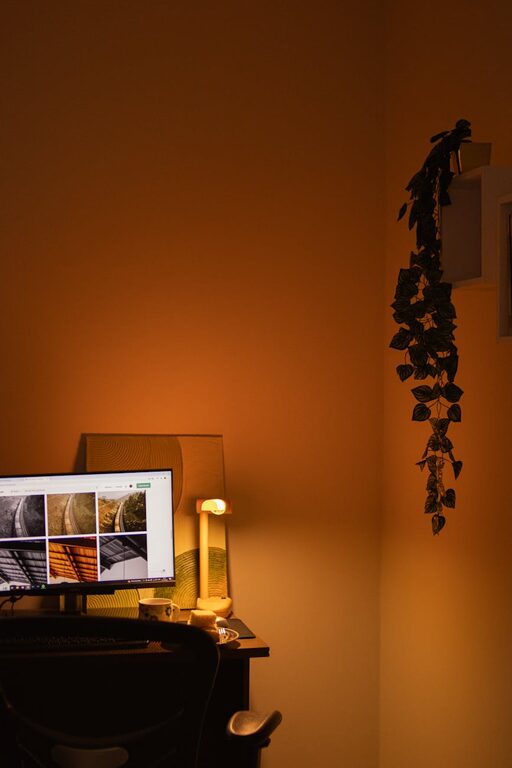
Creating a cozy and functional home workspace is essential for many people who work or study from home. A well-designed workspace can boost productivity, improve comfort, and create a pleasant environment that makes work feel less like a chore. Whether you have a dedicated room or a small corner, these tips will help you design a space that supports focus and comfort.
Choose the Right Location
Consider Natural Light
Natural light can improve mood and reduce eye strain. If possible, set up your workspace near a window. Position your desk so that the light doesn’t shine directly on your screen, which can cause glare.
Minimize Distractions
Look for a quiet spot away from household traffic and noise. This area will help you stay focused and avoid interruptions.
Invest in Comfortable Furniture
Ergonomic Chair
A comfortable and supportive chair is crucial. Choose one with adjustable height, good lumbar support, and breathable material. Spending hours in a poor chair can lead to discomfort or back pain.
Functional Desk
Select a desk that fits your space and work needs. Consider a height that allows for proper posture and enough surface area for your computer, documents, and other essentials.
Consider a Standing Desk
If sitting for long periods is uncomfortable, explore adjustable desks that allow you to switch between sitting and standing.
Organize Your Workspace
Use Storage Solutions
Clutter can distract you and reduce efficiency. Use shelves, filing cabinets, and drawer organizers to keep things tidy and easily accessible.
Cable Management
Tidy cables not only look better but also prevent accidents. Use cable clips or sleeves to keep cords organized and out of the way.
Daily Declutter
Spend a few minutes at the end of each day to clear your desk and prepare for the next.
Personalize the Space
Add Plants
Plants bring life and freshness to your workspace. They can improve air quality and add a calming effect.
Use Art and Decor
Incorporate inspirational quotes, artwork, or personal photos. These elements make the space feel inviting and motivate you.
Choose Cozy Textiles
A soft rug, cushions, or a throw blanket can add warmth and comfort to your workspace.
Pay Attention to Lighting
Layer Your Lighting
Use a combination of natural light, overhead lighting, and task lighting. A good desk lamp with adjustable brightness helps reduce eye strain.
Avoid Harsh Lights
Choose warm or neutral white bulbs over cool white or fluorescent lighting to create a cozy atmosphere.
Set Up Technology Efficiently
Reliable Internet Connection
Ensure you have a strong and stable internet connection to support video calls and online work.
Quality Equipment
Invest in a good monitor, keyboard, and mouse to enhance comfort and productivity.
Use Headphones or Speakers
For virtual meetings or concentration, noise-canceling headphones or quality speakers can be very helpful.
Maintain Healthy Habits
Take Breaks
Set reminders to stand, stretch, and move around regularly to avoid fatigue.
Keep Hydrated and Snack Smart
Keep a water bottle and healthy snacks nearby to stay energized throughout the day.
Create Boundaries
Define Work Hours
Set clear times for starting and finishing work to maintain balance.
Separate Work and Relaxation Zones
If possible, keep your workspace separate from leisure areas to avoid blurring boundaries.
Final Thoughts
Designing a cozy and functional home workspace doesn’t require a large budget or space. With thoughtful planning, ergonomic furniture, good lighting, and personal touches, you can create an environment that not only meets your work needs but also feels comfortable and inspiring. Regularly update your setup to reflect changes in your work routine or preferences, ensuring your workspace remains a positive place to be each day.