

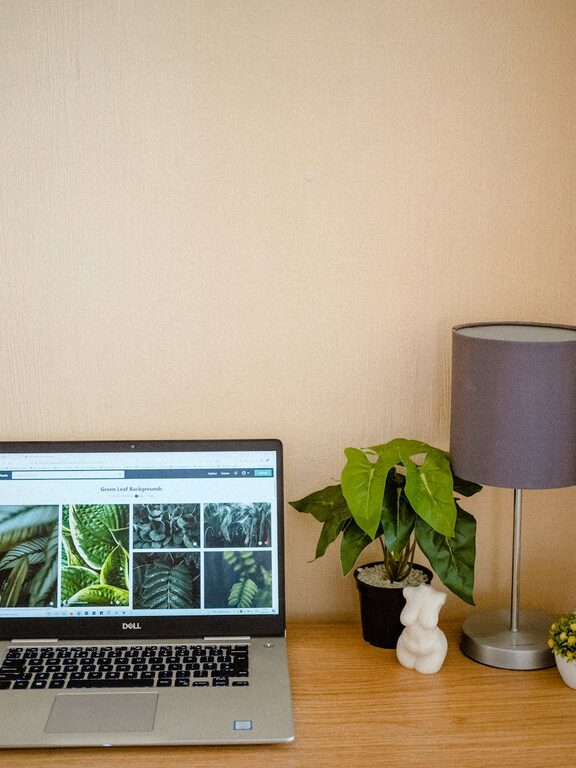
Creating a cozy and functional home workspace is essential for maintaining productivity and comfort, especially when working remotely or managing tasks from home. A well-designed workspace not only boosts your efficiency but can also enhance your mood and reduce stress. In this post, we’ll explore practical tips to help you create a workspace that feels inviting and supports your daily work needs.
Choose the Right Location
The first step in designing a home workspace is selecting the best location. Look for a spot that is quiet and has minimal distractions. If possible, choose a room or corner that receives natural light, as it can improve focus and provide a pleasant atmosphere.
Consider These Factors:
– Lighting: Access to natural light helps reduce eye strain and elevates your mood.
– Privacy: Choose a space where interruptions are limited.
– Comfort: Ensure the area has good ventilation and is free from clutter.
Invest in Ergonomic Furniture
Comfort plays a huge role in how productive and focused you can be. Ergonomic furniture reduces the risk of discomfort and injuries like back pain or wrist strain.
Essentials to Consider:
– Desk: A desk with enough surface area to hold your computer, accessories, and any paperwork.
– Chair: An adjustable chair that supports your lower back and promotes good posture.
– Footrest: For added comfort, consider a footrest if your feet do not rest flat on the floor.
Organize with Purpose
A cluttered workspace can be distracting and stressful. Organizing your tools and materials will streamline your workflow.
Tips for Organization:
– Use storage solutions like shelves, drawers, or filing cabinets.
– Keep only the essentials on your desk.
– Use cable management tools to prevent tangled cords.
– Label containers or folders for easy identification.
Personalize Your Space
Adding personal touches can make your workspace feel welcoming and inspiring. However, it’s important to strike a balance so the space doesn’t become cluttered.
How to Personalize:
– Add a few plants to introduce greenery and improve air quality.
– Use artwork or photos that motivate and uplift your spirits.
– Choose a color scheme or decor style that feels relaxing and inspiring.
Optimize Lighting
Proper lighting can reduce eye fatigue and improve focus. Besides natural light, think about artificial lighting to ensure consistent visibility throughout the day.
Lighting Options:
– Task Lighting: A desk lamp with adjustable brightness.
– Ambient Lighting: Overhead or wall-mounted lights to illuminate the room evenly.
– Avoid Glare: Position screens and light sources to avoid reflections on monitors.
Minimize Noise Distractions
Noise can disrupt concentration, especially if your home is busy. Find ways to minimize unwanted sounds.
Suggestions:
– Use noise-cancelling headphones or play soft background music.
– Install rugs or curtains that absorb sound.
– Consider white noise machines if complete silence isn’t possible.
Keep Technology Efficient
A reliable technology setup is crucial for a functional workspace.
Technology Tips:
– Ensure a fast and stable internet connection.
– Use quality peripherals like keyboards, mice, and monitors.
– Keep devices charged and have necessary chargers or adapters handy.
Schedule Breaks and Movement
Even the best workspace won’t help if you sit for hours without a break.
Healthy Habits:
– Follow the 20-20-20 rule: every 20 minutes, look at something 20 feet away for 20 seconds.
– Stand up and stretch periodically to reduce stiffness.
– Use a timer or app to remind you to take breaks.
Maintain Your Workspace Daily
A tidy and functional workspace requires regular upkeep.
Daily Maintenance Tips:
– Spend a few minutes at the end of each day tidying your desk.
– Review your to-do list and plan tasks for the next day.
– Dispose of unnecessary papers or items to avoid buildup.
—
By following these tips, you can create a home workspace that is both cozy enough to enjoy and functional enough to keep you productive. Small changes and intentional design go a long way in improving your work-from-home experience. Remember, your workspace should support your needs and help you feel your best throughout the workday.